From Raw CSV toDisciplined model benchmarking
LLMs are good at talking about machine learning, but they usually do not inspect your dataset, audit preprocessing faults, or compare models on a controlled evaluation path. This App does exactly that.
Pipeline decisions
Explainable
Evaluation style
Cross-validated
Exports
Model + YAML
AutoML Studio
Profiling to pipeline to race
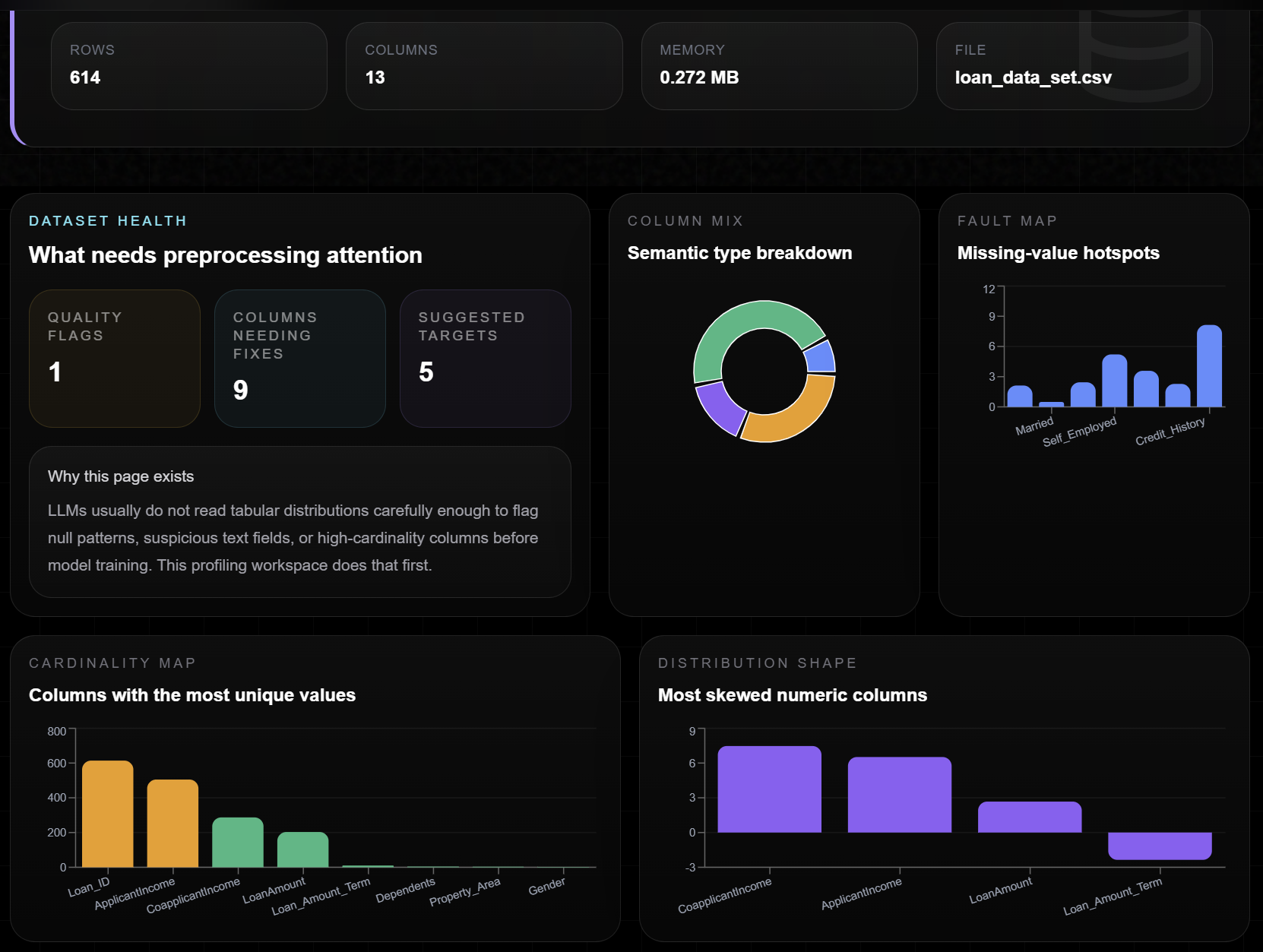
Profile the raw truth
Surface nulls, skew, high-cardinality columns, and class imbalance before you accidentally train on a broken dataset.
Compose a leak-proof pipeline
Imputation, scaling, encoding, resampling, and cross-validation are assembled from the data itself instead of copy-pasted notebook habits.
Race models with evidence
Launch a structured model race, compare scores on the same folds, and inspect the winning model with metrics, feature importance, and exports.
Manual training vs AutoML
The difference is not convenience. It is evaluation discipline.
The app is designed to distinguish between casual model experimentation and a repeatable, leakage-aware training workflow.
Manual training
Fast to start, easy to corrupt
Notebook preprocessing is often duplicated per model, so comparisons stop being fair.
Scaling or encoding can accidentally happen before splitting, which quietly leaks test-set information.
A single train/test split can flatter one model and punish another depending on random luck.
Imbalance handling is easy to apply at the wrong stage, especially with SMOTE.
AutoML workflow
Structured, inspectable, safer
Every candidate model inherits the same preprocessing graph, so the race is apples-to-apples.
Transformers stay inside the evaluation loop, which protects against leakage.
Cross-validation creates a more stable signal than one lucky split.
Resampling, encoding, and fitting happen in a controlled sequence the user can inspect.
Classic mistake
Fit the scaler before splitting
Once global statistics from the full dataset enter preprocessing, evaluation quality becomes inflated. The metric looks cleaner than the real-world model will be.
Pipeline behavior
Fit transforms inside evaluation only
The app keeps preprocessing, resampling, and model fitting inside the same pipeline boundary so each fold stays isolated and the race stays trustworthy.
Journey
A UI flow that feels like a product, not a notebook fragment
Landing page to profiling
Start with product context, then move into a dedicated profiling workspace built for datasets instead of generic chat.
Preprocessing fixes you can see
The app highlights faults in the CSV and turns them into an auto-composed preprocessing plan with plain-language reasons.
Recommendations then race
After target selection, recommended models move into a separate race page where leaderboard, charts, and exports feel like a real workflow.
Start with the dataset, not with guesswork
Move into the profiling page to upload a CSV, inspect preprocessing faults, compose fixes, and continue into the recommendation and race workspace.